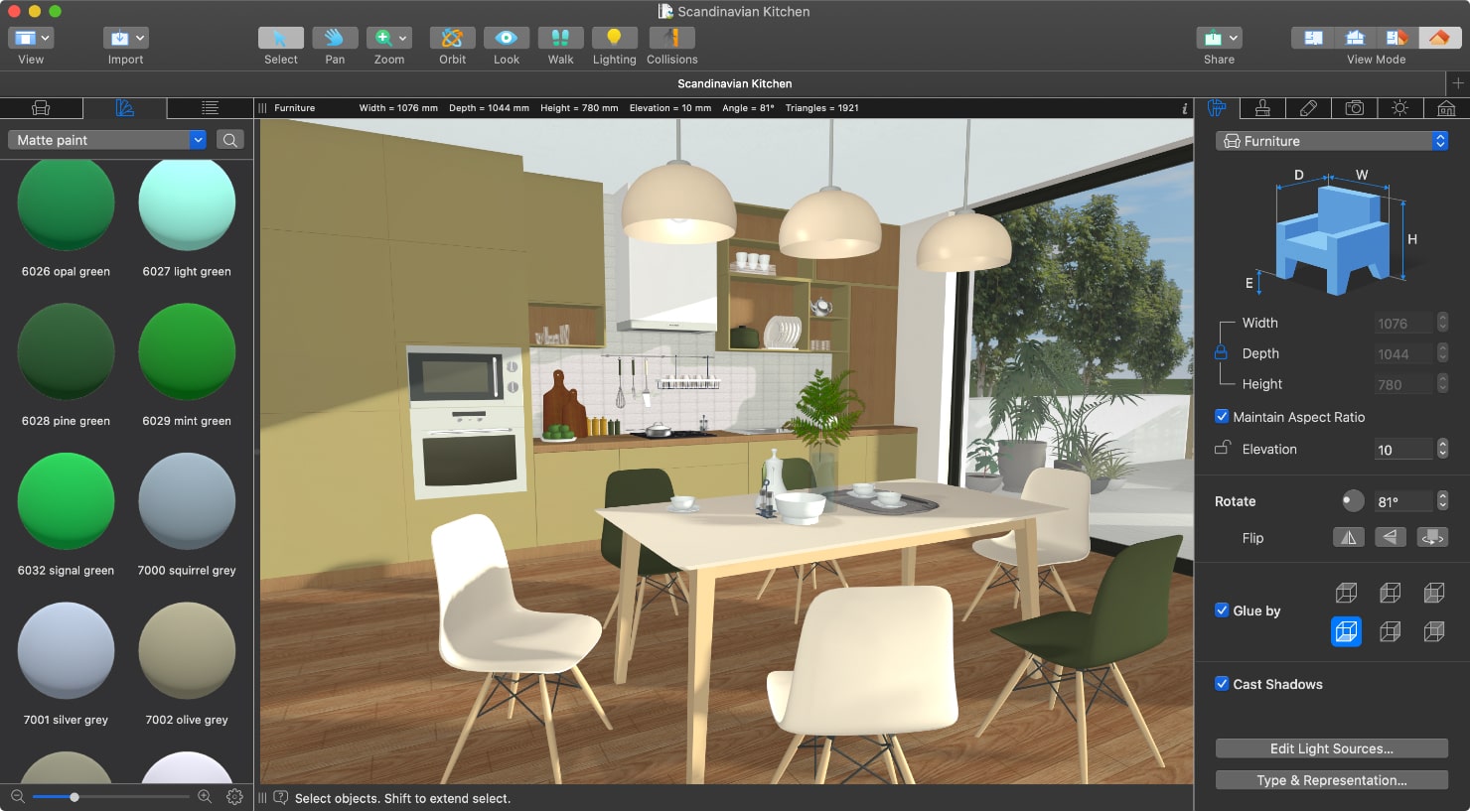

Add IKEA Models to Your House Projects
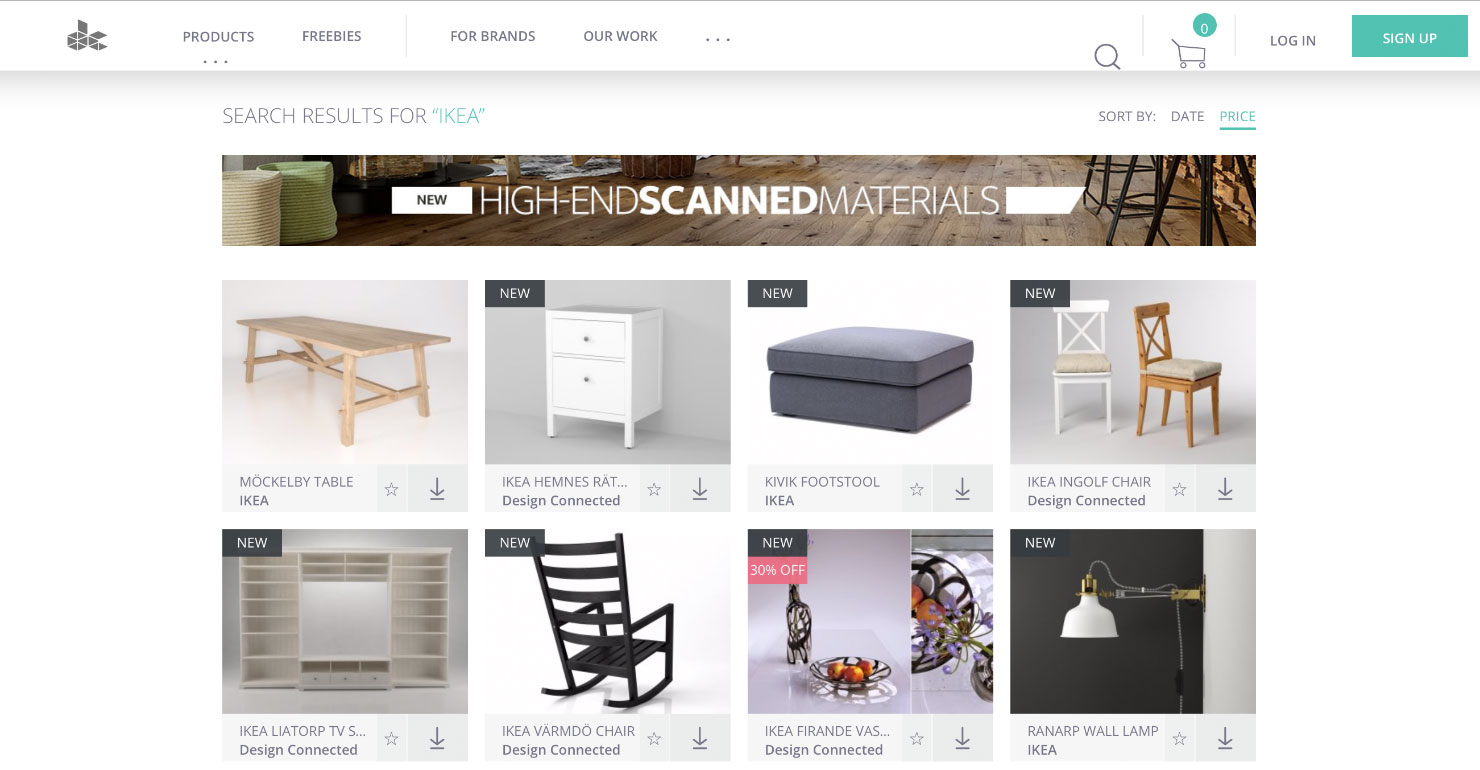
Do you know that you can use IKEA 3D models in your house projects created in home design apps? To achieve this, you just need to find the particular model by running a Google search. You will then find multiple online storages like the ones below. Some models are free, while others require payment:
You can also download IKEA 3D Models of furniture and decorations from the Trimble 3D Warehouse™.
Download a 3D model from Trimble 3D Warehouse™ or in one of the multiple import formats supported by Live Home 3D (Collada, OBJ, SH3D, and more) from one of these sites, and add it to a project you have created in our home design app, Live Home 3D. You can find detailed instructions on importing models on dedicated support pages: macOS, iOS, iPadOS, Windows and Android.
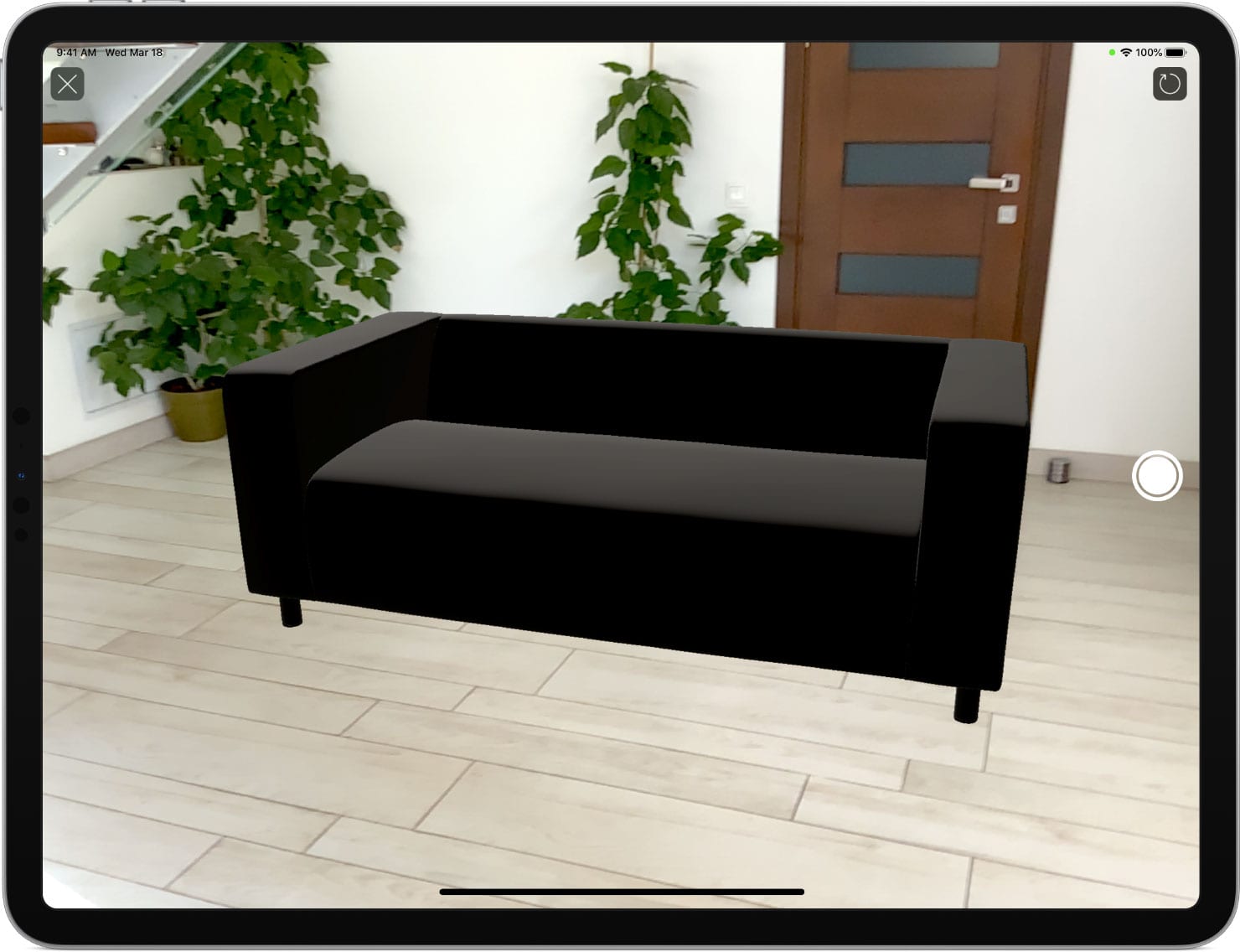
View IKEA Models in AR
AR (augmented reality) technology allows you to view the downloaded IKEA 3D models in your house project or in your current living space. You simply need an iPhone or an iPad with the Live Home 3D app installed. More about using AR.
Share Your Designs
At any moment in time, you can share your designs with others and discuss the details.
Multiple sharing options provide enough freedom for you to accomplish the following:
- Floor plans in PNG, PDF, JPEG, TIFF or BMP formats
- Snapshots in JPEG, PNG, TIFF and BMP formats
- 3D video walkthroughs
- AR walkthroughs (only on iOS and iPadOS devices)
- 360° images and videos for sharing on Facebook and YouTube
- 3D models of interior and exterior projects.
Fill your home with clean and simple Scandinavian-style decor and enjoy the results!
Frequently Asked Questions (FAQs)
Can I use IKEA 3D models in Live Home 3D?
Yes, you can use IKEA 3D models in your house projects created in Live Home 3D. You just need to download a 3D model from Trimble 3D Warehouse™ or other online storages and import it into the app.
Where can I download IKEA 3D models for my interior design project?
You can find IKEA 3D models on online storage sites like Trimble 3D Warehouse™, Free 3D, 3DFurniture, and Design Connected. Some of these models are free, while others may require payment.
What 3D model formats does Live Home 3D support?
Live Home 3D supports multiple 3D import formats including Collada, OBJ, SH3D, and more. This makes it easy to add downloaded IKEA furniture directly into your project.
Can I view downloaded IKEA 3D models in Augmented Reality (AR)?
Yes! AR technology allows you to view the downloaded IKEA 3D models right in your current living space. You simply need an iPhone or an iPad with the Live Home 3D app installed.